

What if the fix for patchy business Wi-Fi isn’t a faster router, but a better network design? When dead zones interrupt staff tasks or customers struggle to connect, it’s tempting to focus on equipment alone. But business wifi solutions australia businesses rely on need to account for the workplace, the people using the network and the jobs they need to get done.
Reliable coverage matters, but so does knowing how many users and devices the network must support during busy periods. Security, ongoing management and resilience belong in the plan too, particularly when staff rely on cloud services or a single internet connection.
This guide explains how to assess your requirements for coverage, capacity, security and outage planning, and how Wi-Fi fits alongside business internet such as NBN, fibre or 5G. Use the practical checks to build a clear plan for connectivity that supports your work without adding unnecessary complexity.
Key Takeaways
- Business Wi-Fi connects workplace devices; your internet service provides the link beyond the workplace. Plan both together to avoid mismatched expectations.
- Access-point placement, building materials and interference affect coverage. Map the areas where staff and guests need a dependable connection.
- When comparing business wifi solutions australia, look beyond the router to coverage, capacity, security, scalability and ongoing management.
- Estimate demand from staff, guests, business devices and cloud applications, then account for how usage could change as your business grows.
- Bunnji provides networking and Wi-Fi alongside business internet, managed IT and cybersecurity as part of a broader network plan.
Business Wi-Fi solutions in Australia: what businesses need beyond a router
Business Wi-Fi is a planned wireless network that connects staff, business devices and approved guests across the areas where they need to work. It’s different from the internet service. Wi-Fi carries data between devices and the workplace network, while an NBN, fibre or 5G connection links that network to the internet.
That distinction helps pinpoint problems. Wi-Fi coverage describes where a usable wireless signal reaches inside your workplace. Internet speed describes how quickly data travels between your network and online services. A fast internet plan won’t fix a weak signal in a meeting room, and strong Wi-Fi coverage can’t make an internet connection suited to a heavier workload.
A consumer router may be enough for a small, open workspace with modest usage. A single device can be a poor fit for a workplace with several rooms, thick walls, customer areas or many connected devices. Staff laptops, mobiles, printers, payment terminals and cloud-based tools all use the network. Depending on the layout and workload, additional wireless access points may extend coverage beyond the router’s reach. The goal isn’t to install the most equipment. It’s to match the design to the areas, devices and tasks that matter.
What makes business Wi-Fi different from home Wi-Fi?
A household network usually serves people moving between a limited number of rooms, with a familiar mix of personal devices. A workplace may need to support staff, business equipment and approved guests at the same time. Requirements also vary by area. Staff may need reliable connections at their desks, while customer-facing spaces may need guest access. Map the work areas and typical usage first, rather than assuming a larger or more complex setup is always better.
When should a business review its Wi-Fi?
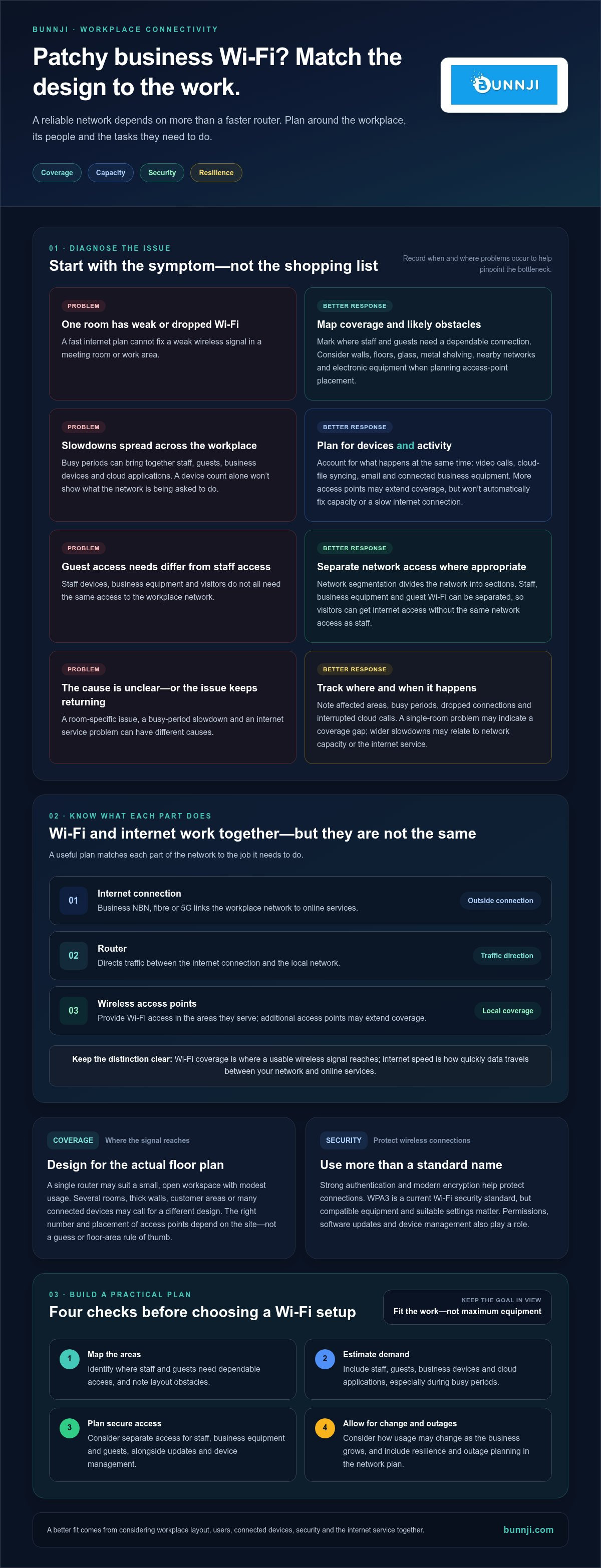
Review the network if dead zones, dropped connections or slowdowns keep returning, especially when the workplace is busy. Staff complaints, interrupted cloud calls and devices that repeatedly lose access can point to a bottleneck. Record when and where the issue happens. A problem isolated to one room may indicate a coverage gap, while slowdowns across the workplace could relate to network capacity or the internet service. If cloud calls are affected, note whether the problem occurs in particular areas or during busy periods. These patterns give your review of business wifi solutions australia a practical starting point.
How business Wi-Fi works: access points, capacity and secure connections
A dependable workplace network relies on several parts working together. The internet connection, such as business NBN, fibre or 5G, links your workplace to online services. A router directs traffic between that connection and your local network. Wireless access points let devices connect to the network over Wi-Fi in the areas they serve.
Access points, routers and Wi-Fi coverage
An access point provides wireless network access in a particular area. A router may include Wi-Fi, but a larger or more complex workplace may need additional access points to extend coverage. The right number and placement depend on the site, not a guess or a floor-area rule of thumb.
Walls, floors, glass, metal shelving and other building materials can weaken or obstruct signals. Nearby wireless networks and electronic equipment can also contribute to interference. An access point tucked in a cupboard or placed at one end of the premises may leave meeting rooms, offices or customer areas with unreliable coverage. Map where people work and where they need a connection, then plan access-point placement around the layout and likely obstacles.
Capacity means more than a device count
Network capacity is its ability to support connected devices and their activity at the same time. A laptop checking email places a different demand on Wi-Fi from several staff members joining video calls while cloud files sync and business devices remain connected. Plan for both the number of devices and what they’re doing during busy periods. Adding access points may improve coverage, but it won’t automatically resolve capacity issues or a slow internet connection.
Business Wi-Fi security and device separation
Network segmentation means dividing a network into separate sections, so devices don’t all share the same access. For example, staff devices, business equipment and guest Wi-Fi can be separated, limiting unnecessary connections between them. Guests can get internet access without needing the same network access as staff.
Use strong authentication and modern encryption to help protect wireless connections. WPA3 is a current Wi-Fi security standard, but compatible equipment and suitable settings matter. The standard name alone isn’t a complete security plan. Access permissions, software updates and device management also play a role. Managed IT and cybersecurity practices can help keep these protections aligned with your wider IT environment.
When assessing business wifi solutions australia, consider how the network will support real work securely across the premises. Bunnji provides networking and Wi-Fi services alongside business connectivity, managed IT and cybersecurity, bringing wireless planning into the wider network picture.
How to compare business Wi-Fi solutions in Australia
Compare each option against the work it needs to support, not just its advertised speed or equipment list. A single router, mesh Wi-Fi and business access points suit different layouts and workloads. Business Wi-Fi equipment is also separate from the internet service: NBN, fibre or 5G provides the connection to online services, while Wi-Fi distributes connectivity around the workplace.
Single router, mesh Wi-Fi or business access points?
A single-router setup may suit a compact, open workplace with modest device use. Mesh Wi-Fi uses connected units to extend coverage, which may help where a single router leaves gaps. Business access points can provide wireless coverage in specific areas and may suit workplaces that need a planned layout or room to expand. Mesh isn’t automatically the right choice for every business. Assess the site, obstacles, device load and management needs before choosing.
What should a business Wi-Fi comparison include?
| Setup | Coverage and capacity | Security and scalability | Ongoing management |
|---|---|---|---|
| Single router | May cover a small, open work area. Capacity depends on simultaneous users and activity. | Review access controls and whether the setup can accommodate more devices or work areas. | Fewer components, but staff may need to manage settings and troubleshoot issues. |
| Mesh Wi-Fi | Connected units can extend coverage, subject to placement and building obstacles. | Check how the network separates staff, guest and business devices, and how it can grow. | Consider how the system is monitored and maintained as usage changes. |
| Business access points | Access points can be planned around work areas and device demand. | Assess whether the design supports secure separation and future expansion. | Management needs depend on the design and who is responsible for keeping it updated. |
| Professionally managed networking | Network design can be considered against the premises and real workloads. | Planning can account for access controls, device separation and changing requirements. | Ongoing management is part of the discussion, not an afterthought. |
Use the same criteria for each option: coverage in work areas, capacity during busy periods, security controls, room to scale and the effort required to manage the network. If staff rely on cloud calling, include call quality and connection stability in the assessment. The Business VoIP Australia strategy guide explains how connectivity supports business calling.
The right business wifi solutions australia setup depends on your site layout, device demand and day-to-day workload.
A practical business Wi-Fi checklist for Australian workplaces
Before comparing business wifi solutions australia, gather a clear picture of your premises, users and priorities. This checklist turns day-to-day needs into practical requirements for a network design.
- Map the work areas. Note offices, meeting rooms, reception, customer spaces and shared areas where people need wireless access. Mark recurring dead zones and consider how walls, storage or layout changes might affect coverage.
- Count users and devices. Estimate how many staff and guests may connect at busy times. Include laptops, mobiles, printers, payment terminals and other business devices, not just the people using them.
- List essential applications. Identify tasks that rely on a steady connection, such as cloud calling, video meetings, cloud-based software and file access. Note where these tasks happen and whether interruptions affect customers or staff.
- Describe access needs. Record which users need access to staff resources, which devices need to communicate, and what guests should be able to use. This helps define whether staff, guest and business device traffic should be separated.
- Review your internet service separately. Note your current connection, such as NBN, fibre or 5G, and any known performance concerns. Wi-Fi distributes connectivity within the workplace; the internet service connects the network to online systems. Assess both, but don’t assume a change to one will fix an issue with the other.
- Consider outage priorities. Decide which activities must continue if the main internet connection is disrupted. Record whether a backup connection forms part of your continuity plan and which essential systems it would need to support.
- Allow for change. Think about likely staff growth, new devices, extra work areas and changing application use. A design that suits today’s workload should also have a practical path to adapt.
- Review the proposed design. Compare the plan with your mapped areas and priorities. Check that it addresses coverage, busy-period capacity, security, future changes and ongoing management. Flag any room or essential task that the design doesn’t clearly account for.
A concise requirements list makes it easier to discuss the whole network, rather than choosing equipment by headline speed alone. Bunnji provides networking and Wi-Fi alongside business NBN, fibre, 5G, managed IT and cybersecurity, connecting wireless planning with broader connectivity needs.
Explore Bunnji’s networking and Wi-Fi solutions as a practical next step in planning a network around your workplace.
Choosing business Wi-Fi solutions with Bunnji
Good Wi-Fi planning starts with the way your business operates. Bunnji provides networking and Wi-Fi alongside business NBN, fibre and 5G connectivity, managed IT and cybersecurity. This brings the wireless network into a wider conversation about how staff connect to applications, how devices are managed and what happens if the internet connection is disrupted.
Connect Wi-Fi planning with the wider business network
Wi-Fi provides wireless access around your workplace. NBN, fibre or 5G connects your network to online services. Both can affect cloud calling, video meetings and access to business systems, but they solve different parts of the connectivity picture. A connectivity audit can help clarify how your current setup supports workplace tasks. Internet redundancy planning can help you consider options for maintaining essential connectivity during an outage.
Mobile connectivity may also be relevant for staff who work away from the office or need another way to stay connected. For guidance on business mobile plans, read the Australian business mobile SIM-only guide.
Turn your requirements into a clear next step
Bring your observations together before shaping a network plan. A useful starting brief includes:
- Work areas: the rooms and shared spaces where reliable Wi-Fi is needed.
- Users and devices: staff, guests, laptops, mobiles and business equipment, especially during busy periods.
- Applications: the cloud systems, calls and meetings that matter to daily work.
- Security needs: how staff, guest and business device access should be handled.
- Connectivity and resilience: your current internet service, known issues and the work you’d prioritise during an outage.
- Future changes: expected growth, new devices or changes to how your team works.
These details connect the needs of the workplace with a practical network design, rather than treating Wi-Fi equipment as a standalone purchase. Bunnji works with Australian businesses on networking and Wi-Fi as part of broader connectivity and technology planning, including managed IT, cybersecurity and internet resilience considerations.
Ready to turn your requirements into a fit-for-purpose plan? Talk with Bunnji about business Wi-Fi and discuss a networking solution suited to your workplace.
Build a network that’s ready for what’s next
Reliable business Wi-Fi starts with understanding where people work, which devices and applications they rely on, and how the network needs to grow. Coverage and capacity matter, but so do secure access, ongoing management and a clear view of how workplace Wi-Fi connects with your internet service.
Choosing business wifi solutions australia businesses can depend on means looking beyond a router. NBN, fibre or 5G connectivity links your workplace to online services, while Wi-Fi distributes that connection around the premises. Both need to suit your day-to-day workload.
Bunnji provides networking and Wi-Fi for Australian businesses, alongside business NBN, fibre and 5G connectivity, managed IT and cybersecurity. Connectivity audits and internet redundancy planning can inform a broader network approach, helping you consider how your setup supports work and responds to disruption.
Ready to turn your requirements into a practical plan? Talk with Bunnji about a business Wi-Fi solution. With a clear picture of your workplace needs, you can take the next step towards more dependable connectivity with confidence.
Frequently Asked Questions
What are business Wi-Fi solutions?
Business Wi-Fi solutions are planned wireless networks that connect staff, business devices and approved guests within a workplace. For businesses assessing business wifi solutions australia, a solution may include network design, access points, security controls and ongoing management. Wi-Fi provides wireless access around the premises; a separate internet connection links the network to online services. The right configuration depends on the site layout, users, devices and applications the team relies on.
How do I choose the right Wi-Fi solution for my business?
Start by documenting your premises, recurring dead zones, users, devices and business applications. Include the activities your network must support, such as cloud calling, video meetings or access to shared files. Record security requirements and likely growth in staff, devices or work areas. Then compare options for coverage, capacity, security and ongoing management, not just advertised speed. A clear requirements list makes it easier to assess which designs suit your workplace.
How many access points does a business need?
The number depends on your floor area, layout, building materials, device density and the signal quality required in each work area. Walls, shelving and other obstacles can affect wireless coverage, so a simple area-based ratio won’t reliably determine the answer. A site assessment and coverage plan can identify where access points may be needed and how users will connect. This is more useful than choosing a number by guesswork.
Is business Wi-Fi more secure than home Wi-Fi?
Security depends on how a network is configured and managed, not simply whether it’s labelled business-grade. Use strong authentication, current encryption such as WPA3 where supported, and keep network equipment and connected devices updated. Separating guest access from staff and business devices can also limit unnecessary connections. These measures help reduce risk, but no setup is immune to cyberattacks. Ongoing security management should form part of your wider IT practices.
Can business Wi-Fi work during an NBN outage?
Local Wi-Fi may remain available during an NBN outage, allowing devices to connect to the workplace network, but internet-based services still need an active internet connection. A separately configured backup connection, such as an appropriate 5G service, may help support essential online work during an interruption. Which devices and services can use it depends on the network setup. A backup can support continuity, but it doesn’t guarantee uninterrupted service.
What is the difference between business Wi-Fi and business internet?
Business Wi-Fi provides wireless access to your network within the workplace. Business internet, such as an NBN, fibre or 5G connection, links that network to online services. Either part can become a bottleneck. A weak signal may affect devices in certain areas, while an issue with the external connection may slow online activity across the site. Assess both the local wireless network and internet service to pinpoint where performance needs attention.
Can business Wi-Fi support cloud phone systems and video meetings?
Yes, business Wi-Fi can carry cloud phone calls and video meetings when coverage, capacity and network configuration suit the workload. Weak signals, busy periods or congestion can affect call and meeting quality, as can an internet outage. Consider where staff make calls, how many people may meet online at once, and what other devices share the network. A review of the business network can help identify whether it’s suited to these applications.


